Tired of expensive booking systems
eating into your profits?

Swap and saves you thousands.

Get set up in minutes, with no contracts or commitments.
Try me 👇

Save thousands per year

All the features you need, minus the cost.
Except workout tracking, if you need this build in - Stop here, you'll get too excited.

Cost

Let’s be honest, most decisions come down to cost. Whether it is financial cost, time cost or even emotional cost. Wunderbook exists to reduce all three. We cut out admin and help you reach more users, giving you real value without the usual headaches.


You get every tool you need to be successful without any financial burden or long term commitments. If we are not adding value, you can walk away at any time. Simple, fair and built to support small businesses.

Simplicity & Speed

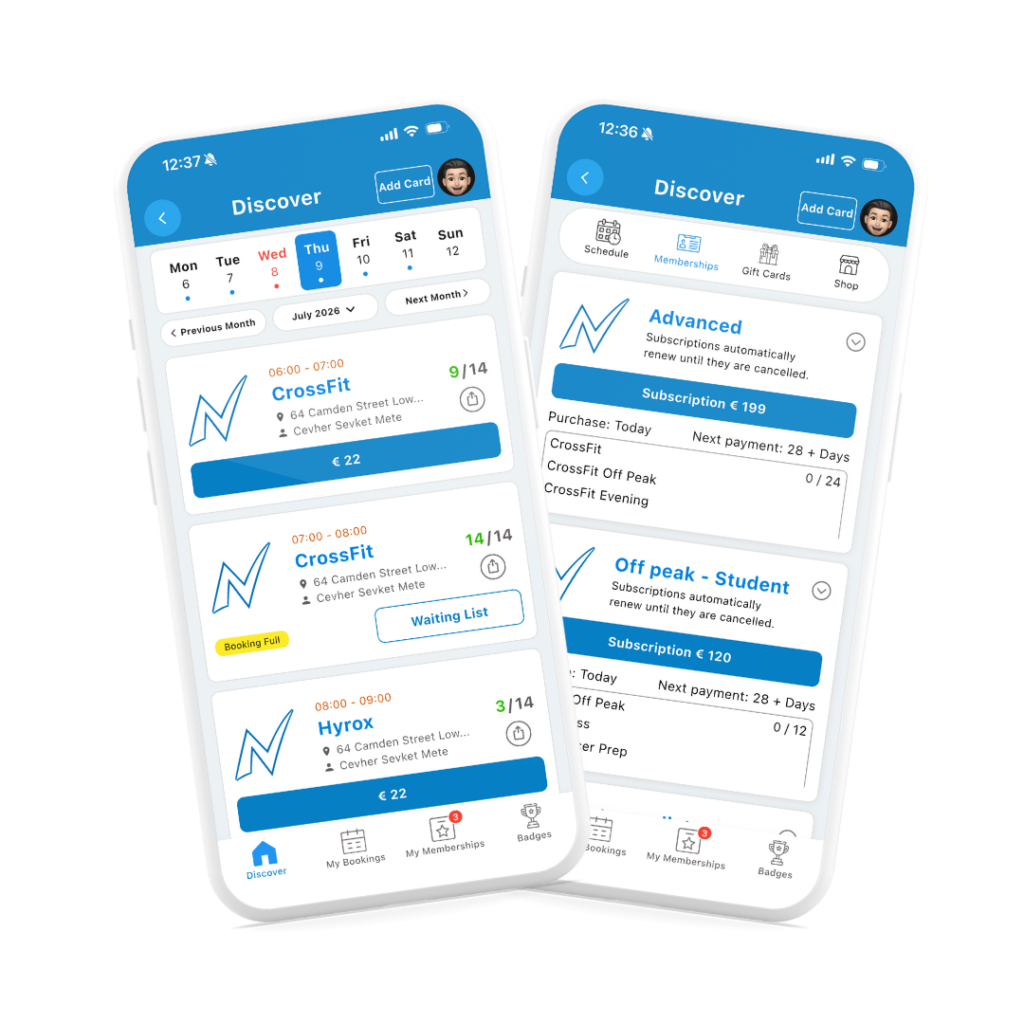
We are not a giant CRM with endless features that feels like you need a degree to operate. We are the best free booking system on the market, giving you all the core tools you need to succeed. Super fast bookings, memberships, waitlists, cancellation limits and more, all without the clutter and you can be set up in minutes.


Everything is built mobile first because 96% of bookings happen on a phone. You simply share your link on your website or socials and your users book in seconds. Simple, fast and ready to grow with you.

Connect

We actually deliver the two things most companies promise but rarely follow through on. We save you money and we help you connect with new users. Saving money is covered, so here is how we bring new people to your door.


Wunderbook runs on an open source platform that connects you with users in your local area and boosts your chances of converting them. Anyone nearby with the Wunderbook app will see your company first, giving you effortless visibility and real opportunities to grow.

Wunderbook vs Paid systems

We do not promise the world and we are not here to sell you anything. Our focus is your clients. We make booking and more importantly paying for your service as easy and seamless as possible. Since we earn only a small 2% booking fee, your success is literally our success. We grow when you grow.


Our no pay, no book approach, combined with cancellation limits, protects your revenue and keeps your schedule predictable.


No, we do not offer workout tracking, but that is about the only thing we leave to the fitness apps. What we do is save you a lot of money and help you connect with new users, giving you real value where it matters most.

Premium features minus cost

  • – Express checkouts with Apple/G-pay
  • – Memberships: Single payment & Subscriptions 
  • – Unlimited users
  • – Staff access on mobile
  • – Gift cards (automated)
  • – Automated reminders 
  • – Custom emails 
  • – Waivers (automated)
  • – Booking & Cancellation limits

Wunderbook vs Other Systems

Compare your monthly revenue and see how much you save by only paying the 1.5 percent payment processor fee.

%

Wunderbook

  • Stripe Fees: 1.5%
  • Cost per month: €0
  • Cost per year: €0

Other system

  • Fee rate: 0%
  • Cost per month: €0
  • Cost per year: €0
  • Percent of your revenue: 0%

Your savings with Wunderbook

  • Saved per month: €0
  • Saved per year: €0

First Wunder... then book!

You are Wunderful, now let’s chat and see if we can add some value.

How it works

Companies set up in minutes, with no contracts or commitments

Schedule

Share

FAQ's

Yes, companies never pay us a penny. We charge a small 2% booking fee to the user, meaning your success = our success.


The only fee your business pays is Stripe’s processing fee: 1.5% + 25¢ per transaction.

To be fully transparent, we’ve created a calculator so you can see the exact cost. Just note, this goes to Stripe, not Wunderbook.


⚠️ Keep an eye out for platforms that hike up these fees and still charge you a monthly subscription.


Stripe Fee Calculator

Stripe Fee Calculator

Enter an amount to see the fee breakdown.

Fee Breakdown

Base Fee (1.5% + €0.25)

€0.00

VAT on Fee (23%)

€0.00

Total Stripe Fee

€0.00

You will receive

€0.00

No, each company has a Schedule link. This is a direct link to your schedule and profile. You can share it on your Website, Social media or even simply send it as a message or maybe you want to create a QR code.

Set up in minutes. Leave anytime.
No contracts. No commitments. Just register, connect Stripe, and start taking payments. If we don’t add value, walk away – no hard feelings.

Absolutely and we actually recommend it. Multiple accounts allow you to take full advantage of our geo-targeting feature, which shows users the businesses closest to them first.
More local visibility = more bookings.


We can also link your accounts for easier management across locations — making it simple to switch, monitor, and grow each business.

Scroll to Top

guide to 100 members

In 90 days

Dashboard Overview and User Management SOP

Objective

This SOP outlines the steps to navigate and utilize the dashboard for managing users and events effectively.

Key Steps

1. Understanding User Metrics 0:00

generated-image-at-00:00:00

  • Total Users: Represents everyone who has ever booked an event.

  • Current Members: Active memberships at present.

  • New Users: Users who booked an event in the current month.

  • Event Revenue: Total revenue from events booked.

  • Membership Revenue: Revenue from memberships purchased.

  • Total Bookings: List of all bookings for the month.

2. Identifying At-Risk Users 0:39

generated-image-at-00:00:39

  • At-Risk Users: Users who have not booked in the last 2 to 8 weeks.

  • Completed Memberships: Users who completed their membership in the last 30 days.

3. Accessing User Details 1:05

generated-image-at-00:01:05

  • Click on Total Users to view detailed information.

  • Check for memberships and bookings associated with each user.

4. Reviewing Revenue and Bookings 1:36

  • Review Event Revenue and Membership Revenue to track financial performance.

  • Note any bookings that have been cancelled or refunded.

5. Exporting Data 2:08

  • Use the export function to download data to Excel.

  • Export at-risk users or total users for further contact.

Cautionary Notes

  • Ensure to verify the accuracy of user data before taking any actions based on it.

  • Be cautious when contacting at-risk users; personalize your communication to improve engagement.

Tips for Efficiency

  • Regularly check the dashboard to stay updated on user metrics and revenue.

  • Set reminders to follow up with at-risk users to enhance retention.

  • Utilize Excel exports for better data analysis and tracking.

Link to Loom

https://loom.com/share/dbe6f3898f164cfcad74c2f4f73540c0

Memebrship pricing guide

Learn from others mistakes